
Which platform is better to create a website on?
Let us tell you what a CMS system is and why it is needed. Let's talk about the types of CMS, look at popular systems and tell you how to choose the right one. Tips from web design studio Veonix.

When a business is just starting out and you have two or three clients a month, an active profile on social networks and a landing page on Tilda are enough to collect leads and process orders. But if things are going well, pretty soon you'll have to scale up to reach new audience segments. For example, if you make bouquets from cabbage, they will write to you - why not from carrots? Add carrots, cucumber fans will come, and this all means new categories in the catalogue. Then regular customers appear: to prevent them from leaving for competitors, you need a bonus program. And for her, the site must be connected to CRM: so that the system can see who bought, how many times, for what amount, and can automatically award bonuses. The next step is analytics: you want to see the performance of shares, conversion, average check.
And here many people decide to “modify” the site a little. It seems that you don’t need to contact an agency for this; a freelancer can do it, “immediately add a couple of lines of code.” Who cares, he can handle it, and everything will even work until the next freelancer rewrites half the logic in his own way. Then another one will come, will not understand the old code and will add his own module on top. As a result, scripts conflict and fail every once in a while, integrations break, and new crutches increasingly overload the system. After several iterations, the site turns into a hodgepodge where any update can destroy the catalog or reset the order database
Therefore, if you have plans for million-dollar contracts and a place on the Forbes list, it’s easier to immediately choose a normal CMS that can work with CRM and analytics out of the box.
What is a website CMS
Content Management System (CMS) is software that allows users without advanced programming skills to create, edit and publish digital content on a website. In other words, if previously the site required manual coding, then with a CMS you can update text, images, products and even orders through the interface.
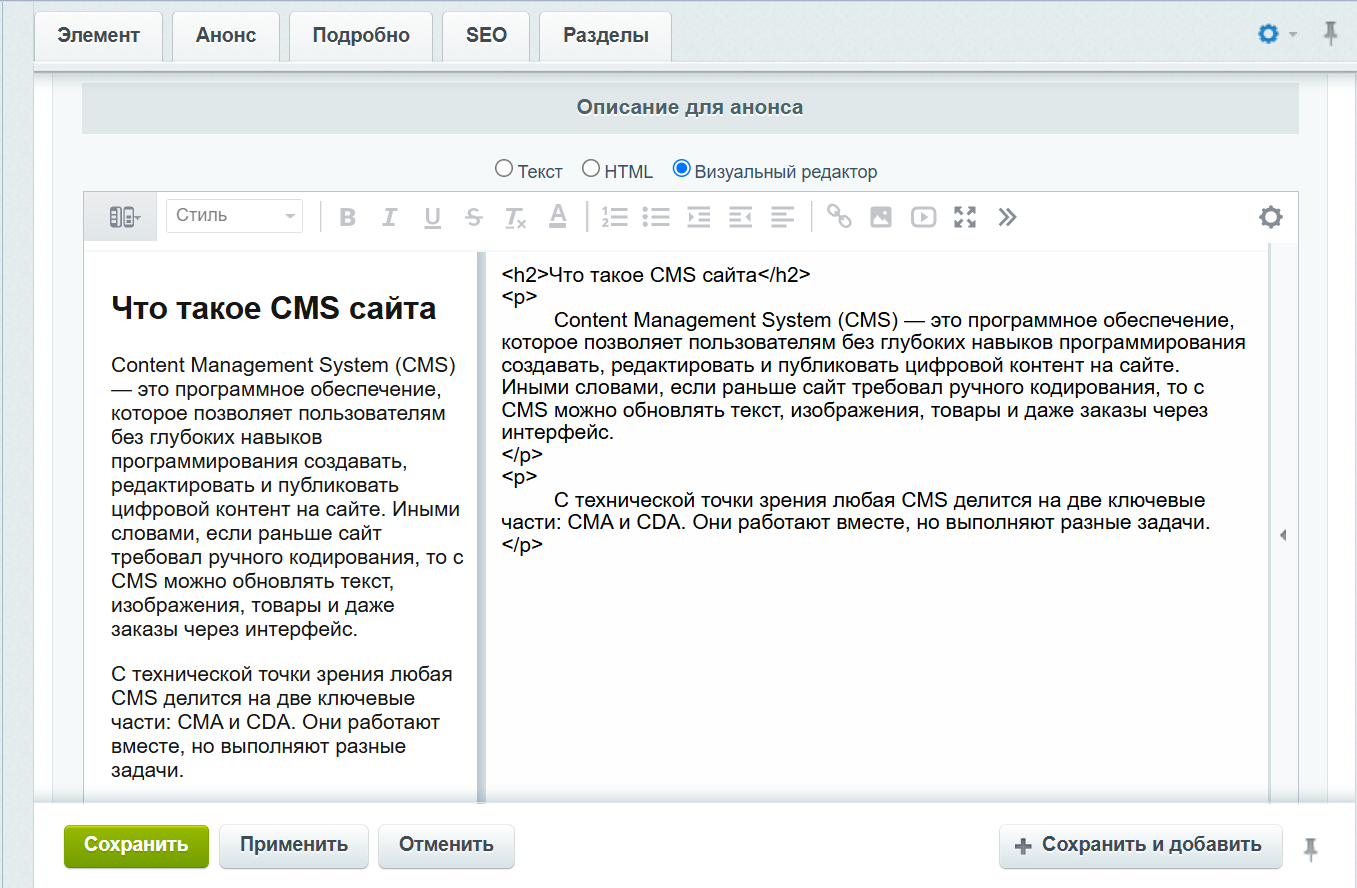
This is what the text editor window looks like in 1C-Bitrix: Site Management.
From a technical point of view, any CMS is divided into two key parts: CMA and CDA. They work together but perform different tasks.
-
Content Management Application (CMA)
This is the interface that an editor, marketer or admin works with.
It includes:-
admin interface - a panel where pages are created, products, images and texts are added;
-
publishing logic - templates, statuses, access rights, content scheduler;
-
integrations - connecting external services such as CRM, mailings, payment systems;
-
SEO tools - managing meta tags, page addresses and micro markup.
-
-
Content Delivery Application (CDA)
This is the back-end of the CMS that receives content from the CMA, stores it and makes it available to users.
These include:-
data storage - a database where texts, orders, user profiles and media files are stored;
-
template system - creates the appearance of pages based on the content;
-
security and caching mechanisms - ensure stable operation of the resource under load;
-
front part and API - show the site to visitors and transmit data to mobile applications, marketplaces or other channels.
-
Let's be very simple: without a CMS, for every change, for example, to upload text or an image, you would have to manually write an HTML file and then upload it to the server. With it, you simply write texts in an editor that is very similar to Microsoft Word, and add media files with one button. At the same time, the external part of the platform (CDA) automatically adjusts the content to the site design, using the necessary fonts, colors and styles.
Types of CMS
There are several classifications of engines based on purpose, level of complexity, deployment method, and so on. We like this one.
-
Boxed CMS. These are ready-made universal solutions that can be installed on a server and modified to suit your needs. Examples: 1C-Bitrix, WordPress, Joomla, OpenCart. They are flexible enough for business and do not require writing code from scratch; they allow you to integrate CRM, analytics, marketing, and add modules and plugins.
-
SaaS-CMS (cloud platforms). Systems that work on a subscription model: you pay for access, and the developer takes care of hosting, security and updates. Examples: Tilda, Wix, Webflow, Shopify. These are good for small businesses and startups. In fact, many of them are construction kits (including a free version), where the project is assembled from ready-made blocks.
-
Headless and Decoupled CMS. Modern architectures where content and interface are separated. Headless - the system manages content and sends data via API to any application (website, mobile, marketplace). Decoupled is a close option, but with basic built-in visualization. Examples: Strapi, Contentful, Sanity.
-
Self-written CMS. Completely custom engines designed for specific tasks. Typically used by large marketplaces, banks, and aggregators. Examples: Avito, Yandex Market, Ozon.
One of the important features of modern engines: personalization, when content, recommendations and banners change depending on interests, location or browsing history. For example. 1C-Bitrix for online stores provides a BigData module: it analyzes the interests and purchases of users in real time and generates individual recommendations for each. According to the developers, the use of BigData increases the profit of online stores by 10–30% due to an increase in conversion and average check.
Advantages and disadvantages of CMS
Any content management system has pros and cons. Here are the main ones.
Pluses
-
Controllability. Any employee can add texts, images and products without the participation of a developer. This speeds up updates and reduces the burden on the IT team.
-
Scalability. As your business develops, you can expand functionality, add new sections, connect modules and CRM without a complete redesign.
-
Integrations. Most CMS support ready-made solutions for payment systems, marketing tools, analytics services and CRM.
-
SEO capabilities. The CMS has built-in tools for optimization: meta tag management, site map, micro markup, CNC addresses.
-
Support and community. Popular platforms like WordPress and 1C-Bitrix have developed ecosystems - documentation, plugins, forums, certified partners.
-
Unified style and structure. The content automatically adapts to the design of the resource, so updates look neat and do not require manual layout.
Disadvantages
-
Technical dependence. Complex systems require regular updates and proper configuration. Without developer support, your site may suffer performance or security problems.
-
Excessive functionality. Many CMSs out of the box contain dozens of modules that are not used, but create a load on the server.
-
Cost of support. Enterprise solutions require licenses, hosting, administration and technical support.
-
Flexibility limitations. On SaaS platforms, access to the code is closed - you cannot make changes to the architecture or add non-standard integrations.
-
Risks if configured incorrectly. Plugin conflicts, outdated modules, or manual edits in templates often cause errors and crashes in the website.
Most often, disadvantages appear if the CMS is chosen incorrectly. Come to Veonix: we’ll compare different systems, tell you which modules your business needs and which ones it’s better to avoid.
The most popular content management systems
According to W3Techs, in 2025, 43% of the world's websites will be built on WordPress. This is the absolute leader in the number of projects, but not the best option for complex corporate systems. WordPress is chosen for blogs, news portals, and small business projects where speed of launch and ease of administration are important.
Among corporate solutions on the Russian market, 1C-Bitrix occupies a stable position. The platform supports integration with ERP and CRM systems, complies with 152-FZ, can withstand heavy loads and provides a high level of security.
Another option is Tilda, this is a typical SaaS-CMS, created for quickly launching websites without programming. Such solutions are convenient for landing pages, MVP projects and small businesses. They allow you to build a product in a day and not have to think about servers or updates. There is only one limitation - the scale; if you develop the project, you will need to move.
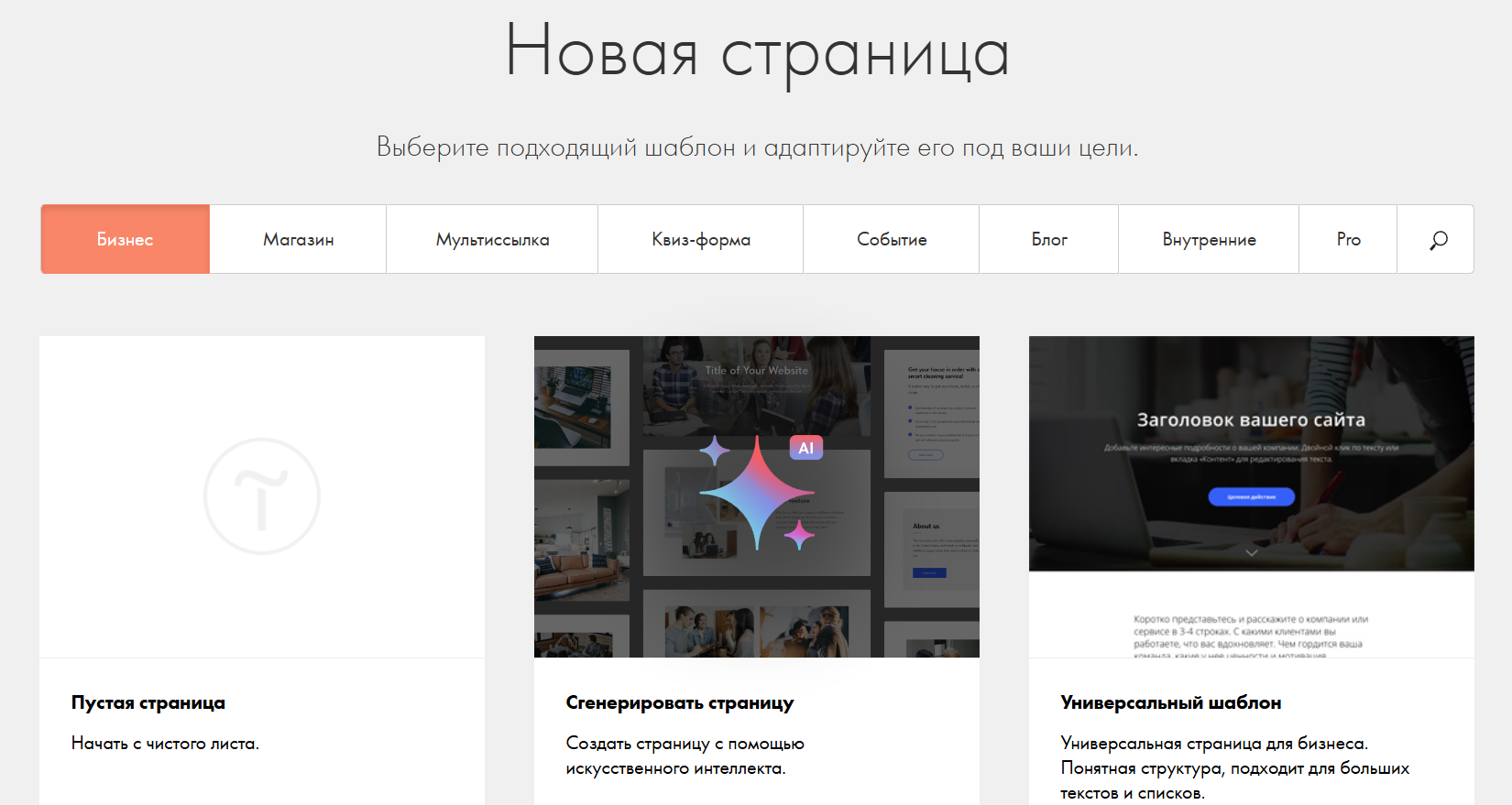
Tilda interface with ready-made blocks
CMS selection criteria
Some save money and build a corporate portal on a free CMS, and then are surprised that customer data has leaked to competitors. Others take the all-inclusive rate, pay for extra modules and end up with a resource where even a minor edit requires the participation of an integrator or contacting technical support with an SLA contract. The truth, as always, is somewhere nearby.
Veonix makes websites that fly: we select the engine for the task and leave room for growth. We will organize a painless move to a new CMS, set up and scale the project, and train the team to use the admin panel. Call or better yet fill out the brief, we'll take care of the rest.